Set Up Default Preferences
Before using NEXUS IC, it’s recommended to tailor the application to match your personal preferences. See the sections below:
Set Default Unit Group
You can choose the system of measurement used for displaying units in NEXUS IC (for example, metric, US customary).
To set the default unit group:
In the menu, navigate to .
In the Profile dialog, open the Profile tab.
Under Display Options, click the ellipsis (…) button in the Unit Group field.
In the Select Unit Group dialog, select the preferred unit group and click OK.
Click OK in the Profile dialog to save your changes.
For information about customising unit groups, see Configure Unit Groups.
Select Favourite Reports
You can mark frequently used reports as favourites for quick access during report generation. These will appear under the Favourites node in the Reports toolbar:
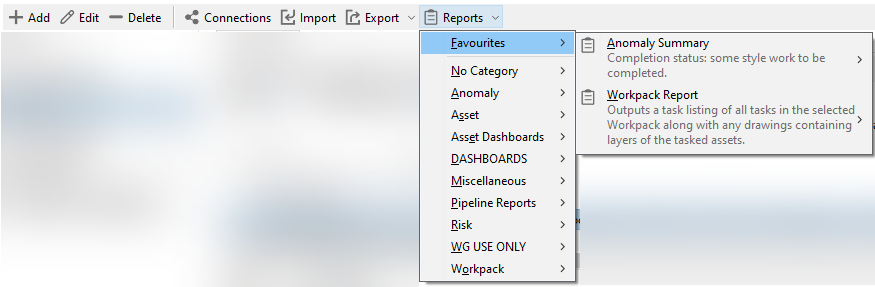
To add favourite reports:
In the menu, navigate to .
In the Profile dialog, open the Favourite Reports tab.
Click the
Include button in the toolbar.
In the Select Report Templates dialog, choose the required reports and click OK.
Click OK in the Profile dialog to save your changes.
Note
You can also remove reports from your favourites by clicking the
Exclude toolbar button for the selected report.
For more information about generating reports, see Reports.
Customise Your Grids
Each grid in NEXUS IC can be customised independently to suit your workflow. You can choose which columns to display or hide, and organise records into collapsible groups for easier navigation and analysis.
For detailed instructions, see Customise and Grouping.