Configure Mutually Exclusive Events
Under , you can specify groups of events that should not be allowed to run at the same time.
Example
You have a Span event and a Buried event. Where a pipeline is buried, it cannot be in a span; where a pipeline is in span, it cannot be buried. To represent this, you can do the following:
Create a Mutually Exclusive Group called Span/Buried by choosing Add in the upper section of the Mutually Exclusive Events screen.
Within that group, add two event types for Span and Buried by selecting the group and choosing Add in the bottom section of the Mutually Exclusive Events screen.
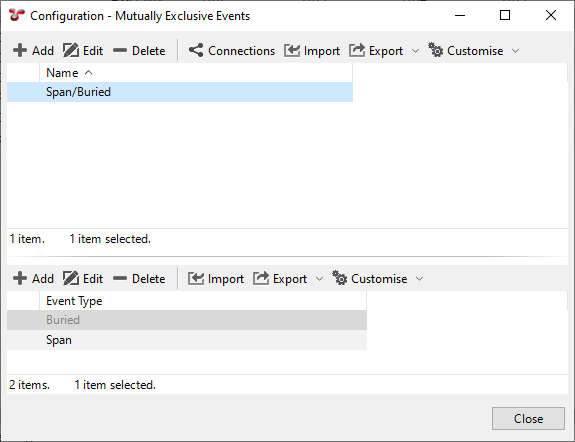
Result
When you launch a Span event in IC-Inspection, if there is a Buried event running, it will be saved and closed. Similarly, if you launch a Buried event while a Span event is open, the Span event will be saved and closed.