NEXUS
6.8

NEXUS IC

  • DASHBOARDS
  • ASSETS
  • LIBRARY
  • PLANNING
  • WORKPACKS
  • INSPECTION
  • ANOMALIES
    • Anomaly Actions
      • Properties of an Anomaly Action
      • Report Table Sources
      • The Grid
      • The Actions Toolbar
        • Navigate to Anomaly
    • Findings
    • Library
    • Multimedia
    • Properties of an Anomaly
    • Report Table Sources
    • The Grid
    • The Anomalies Toolbar
    • Matrix

Other Applications

  • IC-INSPECTION
  • IC-INSPECTOR
  • IC-RECORDER
  • IC-WEB

Other Areas

  • MAIN MENU
  • COMMON FEATURES
  • GENERAL
  • LEGAL

Expert Systems

  • OVERVIEW
  • FAQs
NEXUS
  • Docs »
  • ANOMALIES »
  • Anomaly Actions »
  • Navigate to Anomaly

Navigate to AnomalyΒΆ

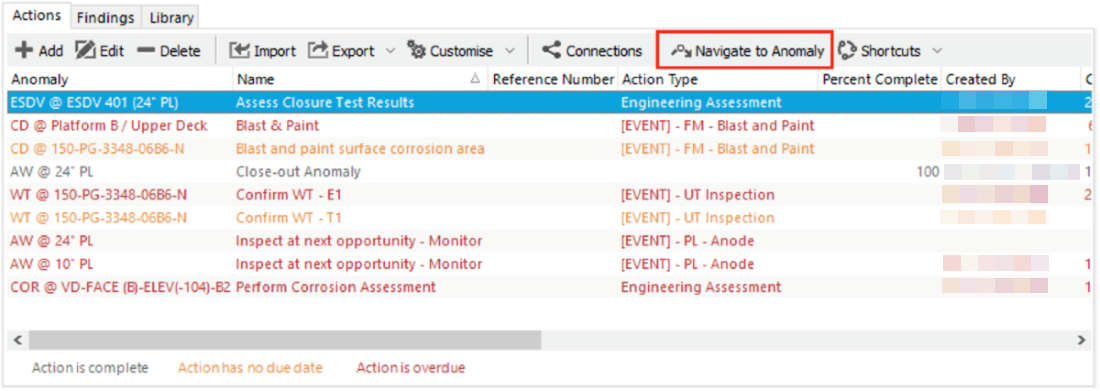
The Navigate to Anomaly toolbar button allows you to navigate directly to an anomaly from a selected anomaly action.

Under the anomalies actions tab, select an anomaly action, and click Navigate to Anomaly.
_images/toolbar.navigate_to_anomaly.example.png

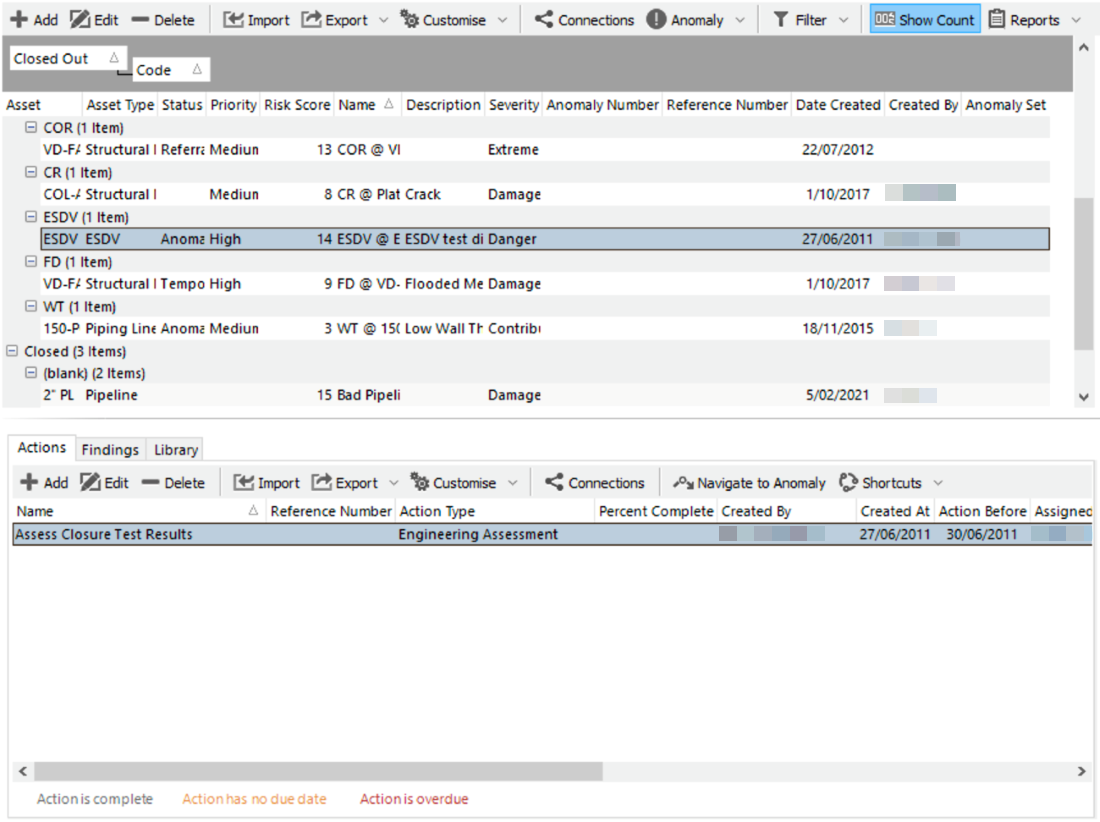
The anomalies window will change so that the selected anomaly is revealed from within the asset tree. The actions window will now show only the selected anomaly action.
_images/toolbar.navigate_to_anomaly.example_expand.png
Next Previous

© Copyright 1994, 2022 Wood Australia Pty Ltd